
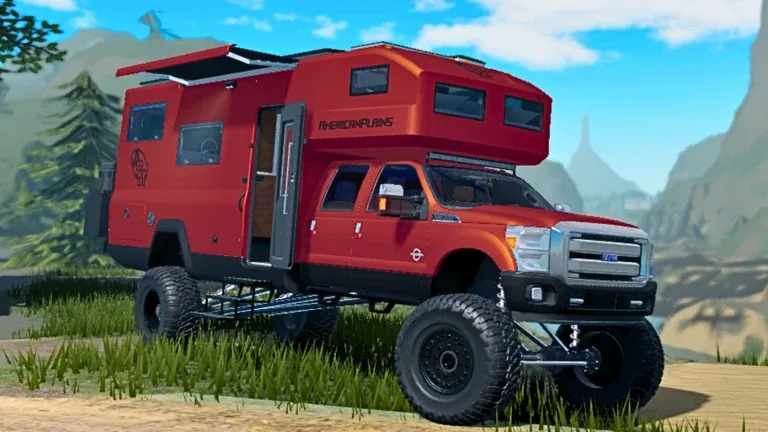
Mastering Trailer Connections in American Plains Mudding
In American Plains Mudding, effective towing is essential for transporting campers, equipment, and other heavy loads across the map. With recent game updates, the process of connecting trailers has become more sophisticated, introducing new mechanics like the auto-trailer connect system and revamped hitch customization. Understanding these systems is the key to avoiding common bugs and ensuring your rig performs reliably on the terrain.
Understanding the New Auto-Connect System
The latest updates to the game have streamlined the connection process. Instead of manually maneuvering into a perfect position, players can now use the auto-connect feature. When you select a trailer, the system prompts you to choose a slot or a specific vehicle to link.
- Spawn Your Trailer: Access the trailer menu and select the model you wish to use.
- Initiate Connection: Once the trailer is spawned, look for the connection prompt on your screen.
- Select Target: Choose your primary tow vehicle from the list provided. The system will automatically align the trailer to the hitch point.
Note: As reported by community members, if the auto-connect feature causes visual glitches—such as tires floating or improper alignment—it is often resolved by re-joining the server, as the game’s back-end physics engine may occasionally conflict with new updates.
Customizing Hitches for Compatibility
Not every truck can pull every trailer. The game now features a robust hitch customization menu that allows you to swap out components. If you are struggling to connect a specific camper or trailer, the issue is likely a mismatch between your vehicle's current hitch and the trailer’s requirements.
According to player experience, some trailers require a higher hitch clearance provided by larger semi-trucks. If you are using a standard pickup, ensure you have the correct adapter installed in the bed of the truck to accommodate the trailer’s neck.
Pre-Trip Inspection and Empty-Lot Testing
Even after a successful connection, you should never jump straight onto a narrow trail. Proper towing in American Plains Mudding requires a "shake-down" test. A controlled environment, such as an empty lot, allows you to verify that your rig is stable and that the hitch won't clip during sharp turns.
Tip
The Empty-Lot Protocol:
- Straight-Line Braking: Accelerate and brake in a straight line to ensure the trailer doesn't sway excessively.
- Low-Speed Turns: Perform wide, gentle turns in both directions. Watch the hitch area closely; if the trailer contacts your truck’s cab or bed, you need a different hitch configuration.
- Reverse Test: Practice backing up with small, precise steering inputs to get a feel for how the trailer pivots.
Troubleshooting Common Towing Issues
If you find that your trailer simply won't connect, despite having the right equipment, consider these common pitfalls. First, confirm that you are using the correct vehicle class for the load. While customization offers flexibility, some trailers are strictly designed for semi-trucks.
Why does my trailer not fit even with the right hitch?
Sometimes, the collision boxes in the game can be finicky. If you have confirmed the hitch is correct, try despawning and respawning both the truck and the trailer. Re-joining the server often clears temporary physics-related bugs introduced during weekly updates.
Can I use any truck to pull a fifth-wheel camper?
No. You must equip the "Fifth Wheel Adapter" in the customization shop. Without this specific attachment, the game will not recognize the connection point for fifth-wheel style trailers.
Advanced Towing Strategy
Once you have mastered the connection, focus on route planning. The game’s physics engine responds to terrain, meaning your load will affect your vehicle's performance on muddy, uneven ground. Always scout narrow trails without the trailer first. If you get stuck, remember that changing your route or adjusting your vehicle's weight distribution is often more effective than attempting to force the rig through a tight obstacle. By matching the right rig to the right trailer and maintaining your equipment in the shop, you ensure a smooth experience across the American Plains.