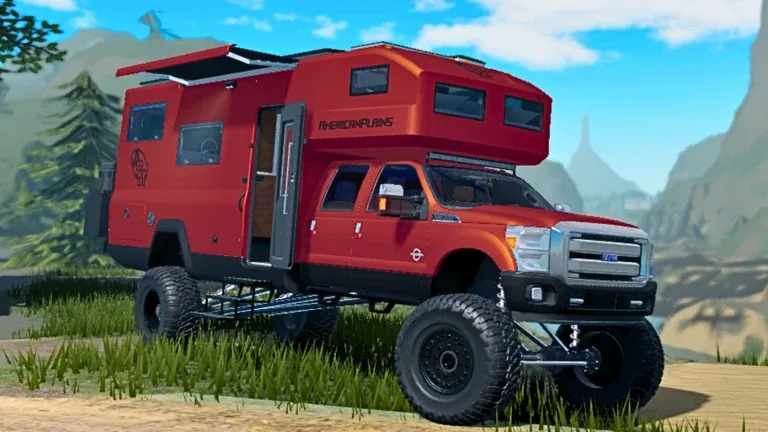
Best Truck Mods in American Plains Mudding: Custom Builds Guide
Learn how to create custom truck mods in American Plains Mudding on Roblox, including subwoofers, antennas, and rock lights using in-game tools.
Published: American Plains Mudding Wiki Editorial Team
Table of Contents
Creating Custom Truck Mods in American Plains Mudding
In American Plains Mudding, players often look for ways to make their vehicles stand out at truck meets. While the standard customization shop offers plenty of options, community members have discovered creative ways to "mod" trucks using everyday items found in the tool store. By mastering the placement and rotation tools, you can add unique aesthetic details that aren't available in the default menus.
These modifications require patience and precision. Since the game relies on physics-based placement, the most critical step for every build is ensuring your truck is parked perfectly straight. Using the lines on the road or parking spaces as a guide will save you significant time during the assembly process.
Building a Custom Subwoofer Setup
A popular way to customize your pickup truck's bed is by building a faux subwoofer. According to player experience, this modification uses items from the tool store to create a realistic audio look.
Gather Materials: Head to the tool store and collect three toolboxes and several thick barrel cones.
Alignment: Park your truck perfectly straight in a marked parking space. Remove any existing hitches from the tailgate.
Base Placement: Place the toolboxes at the back of the truck bed. Use the 'T' key to rotate them until they sit flush.
Detailing: Add the barrel cones to the ends of your setup. Rotate them so the circular ends face outward.
Refinement: If you want a cleaner look, you can remove the tailgate entirely to make the subwoofer setup appear integrated into the vehicle.
Tip
If you make a mistake during placement, be extremely careful when selecting the "remove" tool. Accidentally clicking the wrong item might force you to restart the entire build process.
Adding a Realistic Antenna
For a subtle yet effective visual upgrade, many players use the USA flag item to simulate an antenna. This is one of the fastest modifications to perform in the game.
To set this up, go to the tool store and pick up the USA flag. Once you are back at your truck, enter the vehicle and use the 'T' key to rotate the item until it is upside down. Carefully position it inside the back seat area. If placed correctly, the stem of the flag will protrude upward, mimicking a radio antenna. If the flag appears too visible, you can use the window tint option to hide the interior detail while keeping the antenna effect on the outside.
Installing Custom Rock Lights
Underglow or "rock lights" can drastically change the look of your truck during night sessions. This build is slightly more complex as it involves the game's light deployment mechanics.
[ ] Secure four light units from the store (note that you may need an alternate account if the game limits placement to three per player).
[ ] Ensure your truck has enough suspension height; higher suspension makes the lights more visible.
[ ] Park on a flat surface with enough room on both sides of the vehicle.
To install the lights, place them near the wheel arches and rotate them upside down. Once placed, walk up to the lights and toggle their deployment. Hold the "tilt lights up" function for approximately three seconds. This adjustment allows the light to peek through the wheel well, creating an ambient glow. Community reports suggest that the distance from the wheel arch determines how "hidden" the light source is; experiment with the placement to find the perfect balance between a clean look and high light output.
Common Challenges and Solutions
Building custom mods in American Plains Mudding can be tricky due to the rotation mechanics. If your parts are facing the wrong way, spam the 'T' key until the orientation matches your desired angle.
Why are my lights not showing up?
If your rock lights aren't visible, check your suspension height. Stock suspension often tucks the lights too deep into the chassis. Increasing the suspension height in the customization menu will provide the necessary clearance for the light to shine outward.
Can I place more than three lights?
The current game mechanics typically limit players to three active light units. As noted by experienced builders, the most common workaround for a full-truck glow is using an alternate account to place the remaining lights on the front of the vehicle.
Is this permanent?
These modifications are part of your current session's build. If you leave the server or respawn your vehicle, you will need to re-apply the items from the tool store. This is why mastering the "straight-park" technique is essential for efficiency.