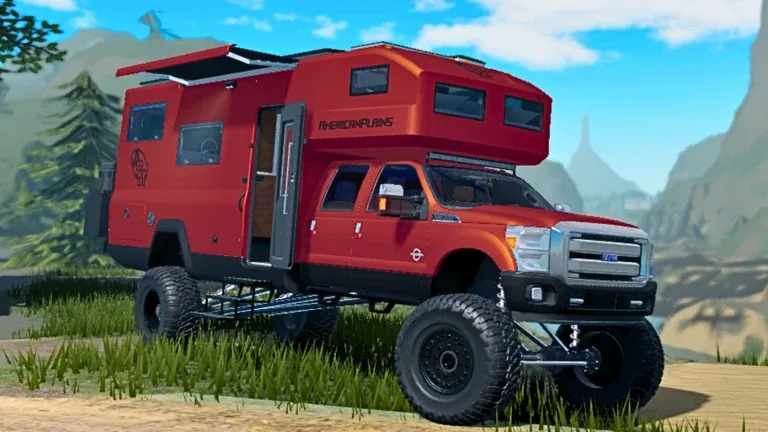
How to Download and Play American Plains Mudding on Roblox
Discover how to access American Plains Mudding on Roblox, explore its unique off-roading features, and join the thriving community of vehicle enthusiasts.
Published: American Plains Mudding Wiki Editorial Team
Table of Contents
Accessing American Plains Mudding
Many players searching for an "American Plains Mudding download" are often looking for a standalone installer. However, it is important to clarify that this title is an official experience hosted entirely on the Roblox platform. You do not need to download the game separately; instead, you access it through the Roblox client.
To start playing, navigate to the official American Plains Mudding page. If you are already logged into your Roblox account, simply click the green "Play" button. If you have not yet installed the Roblox launcher, the site will prompt you to download it. Once the launcher is active, it will automatically handle all updates for the game, ensuring you always have access to the latest map expansions and vehicle features.
Understanding the Gameplay Experience
American Plains Mudding distinguishes itself from typical driving simulators by focusing on gritty, realistic off-roading, towing, and custom building mechanics. Unlike generic vehicle games, the developers emphasize a "no corporate cash-grab" philosophy, focusing on community-driven updates such as the recent town expansion and the addition of diverse terrain like mud pits and ice tracks.
Core Gameplay Features
Off-Roading & Mudding: Navigate challenging terrain with specialized vehicles and trailers.
Custom Building: Utilize "B-Tools" (Building Tools) to place objects, customize textures, and create unique event stages or office areas (restricted to authorized players).
Roleplay Elements: Engage with a community that utilizes dedicated emergency services, construction roles, and residential neighborhoods.
Mastering Building Tools and Customization
One of the most unique aspects of this game is the ability for authorized users to manipulate the environment. Community reports indicate that moderators and developers often use "B-Tools" to create custom structures, such as pipelines or off-roading office areas.
If you are interested in the creative side of the game, pay attention to the following:
Identify Roles: Understand that advanced construction tools are typically reserved for moderators and testers to maintain server quality.
Engage with Events: Many custom structures are built for specific server events. Keep an eye on the community Discord or in-game chat to see where active construction is happening.
Utilize Welding: Use the welding equipment to secure cargo or participate in pipeline construction tasks, which adds a layer of depth to the standard driving loop.
Community Insights and Tips
The community surrounding this game is highly active, often organizing impromptu events. For those looking to get the most out of their sessions, consider these tips gathered from long-time players:
Tip
Queue Management: Popular private servers can often have significant wait times. If you are trying to join a specific high-population server, be prepared for a queue. It is often worth waiting, as these servers frequently feature custom-built areas you won't find in smaller, default instances.
Warning
Server Rules: While the game encourages roleplay, ensure you follow the established rules of the server you are in. Reckless driving or interfering with ongoing construction projects can lead to being kicked by moderators.
Exploring the New Town and Terrain
The recent 10/13/2026 update introduced a significant expansion to the town, adding over 10 new buildings and more housing options. This shift has transformed the game from a pure mudding simulator into a more comprehensive roleplay environment. Players now spend a significant amount of time in the "neighborhood" area, utilizing driveways and interacting with other vehicle enthusiasts.
Additionally, the introduction of ice-based terrain provides a new challenge for drivers. Unlike the mud pits, which require high-range torque, the ice areas are perfect for testing drifting skills. If you are looking to host a competition or simply practice, the ice tracks are currently one of the most popular spots for community interaction.
Frequently Asked Questions
Can I download American Plains Mudding as a standalone app?
No, this game is exclusive to the Roblox platform. You must play through the Roblox client to access the official servers and features.
How do I get new vehicles?
According to the game's official page, you can unlock specific vehicles by "Liking" and "Favoriting" the game. Keep an eye out for "Hidden Vehicles" found throughout the map as well.
Why can't I use the building tools?
Building tools are generally restricted to developers, moderators, and testers to prevent map griefing. If you wish to contribute to the game's development, consider joining their official community channels to learn about potential staff applications.